2.13 Admission Controllers
Admission Controllers are policy enforcement components inside the Kubernetes API server.
They intercept every request after Authentication and Authorization and before the object is created in the cluster.
They help you validate, modify, and enforce security rules on resources like Pods, Namespaces, and PVCs.
🔐 Where Admission Controllers Fit in the Request Flow
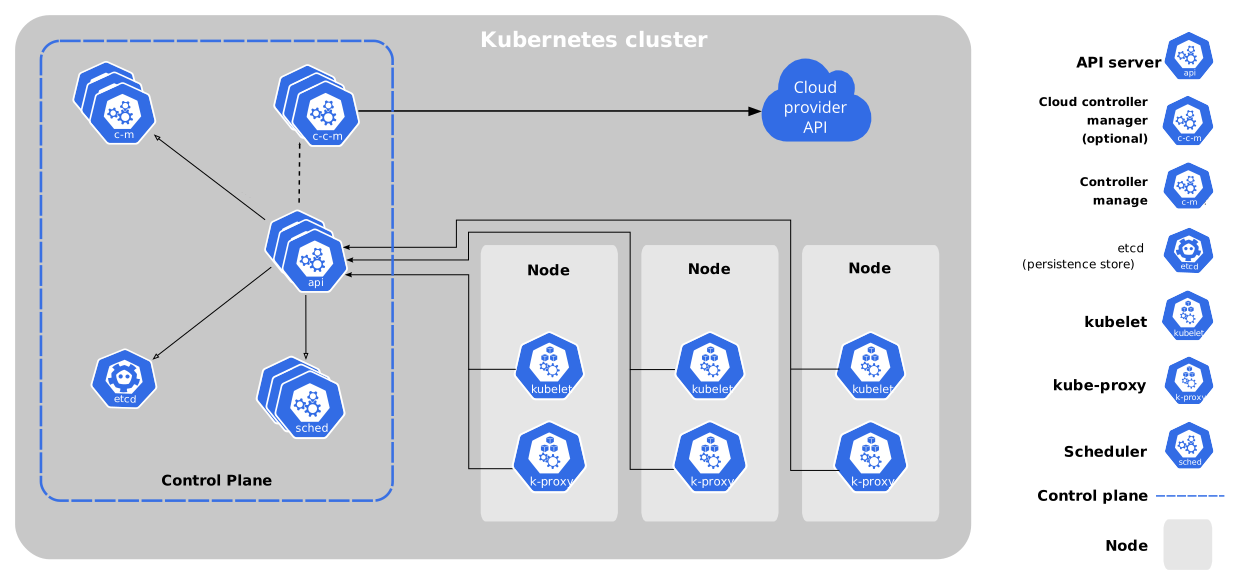
When you run a command such as:
The request flows through these stages:
- Authentication — Who is making the request?
- Authorization (RBAC) — Is the user allowed to do this action?
- Admission Controllers — Should this request be accepted, rejected, or modified?
- etcd — Object is stored if approved
Info
Admission Controllers are the final checkpoint before a resource is created.
🎯 Why Admission Controllers Are Needed
RBAC controls who can do what — but not how resources are configured.
RBAC can control:
- Who can create Pods
- Who can delete Deployments
- Namespace-level permissions
- Specific resource names
RBAC cannot enforce rules like:
- Only allow images from internal registry
- Block containers running as root
- Disallow
latestimage tag - Require labels on all Pods
- Restrict Linux capabilities
Note
Admission Controllers enforce configuration and security policies beyond simple access control.
🧩 What Admission Controllers Can Do
Admission Controllers can:
- ✅ Reject invalid or unsafe requests
- ✅ Modify objects before creation (mutation)
- ✅ Inject default values
- ✅ Enforce cluster security standards
- ✅ Trigger additional checks
They work automatically once enabled in kube-apiserver.
📦 Common Built‑in Admission Controllers
| Controller | What It Does |
|---|---|
| AlwaysPullImages | Forces image pull every time a Pod starts |
| DefaultStorageClass | Adds default storage class to PVCs |
| LimitRanger | Applies default CPU/memory limits |
| ResourceQuota | Enforces namespace quotas |
| NamespaceLifecycle | Protects and validates namespaces |
| EventRateLimit | Limits API request bursts |
Tip
Most production clusters keep several admission controllers enabled by default.
🧾 RBAC YAML Example (Authorization)
RBAC decides whether a user/service account is allowed to perform an action.
Role (Allow Pod Operations in a Namespace)
apiVersion: rbac.authorization.k8s.io/v1
kind: Role
metadata:
  name: developer
  namespace: dev
rules:
  - apiGroups: [""]
    resources: ["pods"]
    verbs: ["get", "list", "create", "update", "delete"]
RoleBinding (Attach Role to a User or ServiceAccount)
apiVersion: rbac.authorization.k8s.io/v1
kind: RoleBinding
metadata:
  name: developer-binding
  namespace: dev
subjects:
  - kind: User
    name: john
    apiGroup: rbac.authorization.k8s.io
roleRef:
  kind: Role
  name: developer
  apiGroup: rbac.authorization.k8s.io
Note
RBAC can allow or deny API actions, but it does not validate Pod configuration (image, tags, runAsRoot, etc.).
🧪 Example — Namespace Validation Check
Try creating a Pod in a namespace that does not exist:
Output:
What happened:
- Authentication → ✅ passed
- Authorization → ✅ passed
- Admission Controller → ❌ rejected (NamespaceLifecycle)
Example
The NamespaceLifecycle controller blocks requests to non‑existent namespaces.
🛡️ Admission Policy YAML Examples (Better Understanding)
Admission Controllers can be built-in (enabled on kube-apiserver) or implemented using policies.
Example 1 — Validate Pod Configuration (Kyverno Policy)
This example blocks Pods that use the latest tag.
apiVersion: kyverno.io/v1
kind: ClusterPolicy
metadata:
  name: disallow-latest-tag
spec:
  validationFailureAction: Enforce
  rules:
    - name: no-latest-tag
      match:
        resources:
          kinds:
            - Pod
      validate:
        message: "Using the 'latest' tag is not allowed."
        pattern:
          spec:
            containers:
              - image: "!*:latest"
Example 2 — Enforce Labels on Pods (Kyverno Policy)
apiVersion: kyverno.io/v1
kind: ClusterPolicy
metadata:
  name: require-app-label
spec:
  validationFailureAction: Enforce
  rules:
    - name: check-app-label
      match:
        resources:
          kinds:
            - Pod
      validate:
        message: "Pods must have the label: app"
        pattern:
          metadata:
            labels:
              app: "?*"
Tip
These policies demonstrate what Admission Controllers are meant to enforce: resource configuration rules.
⚙️ Auto Namespace Creation (If Plugin Enabled)
Some clusters enable auto‑provision behavior:
- Namespace does not exist
- Admission plugin creates namespace
- Pod creation continues
Warning
Old plugin NamespaceAutoProvision is deprecated.
Modern clusters use NamespaceLifecycle instead.
🔍 View Enabled Admission Controllers
Check enabled plugins on the API server:
kubeadm Clusters
kubectl exec -n kube-system kube-apiserver-<node> -- \
kube-apiserver -h | grep enable-admission-plugins
➕ Enable Admission Controllers
Edit kube-apiserver manifest:
Add flag:
Kubernetes will restart the API server automatically (static pod).
➖ Disable Admission Controllers
Danger
Disabling critical admission controllers can weaken cluster security and policy enforcement.
🧠 Validating vs Mutating Controllers
- Only approve or reject
- Do not change the object
- Policy gate only
- Example: NamespaceLifecycle
- Modify objects before creation
- Add defaults or fields
- Adjust configuration automatically
- Example: DefaultStorageClass
🖼️ Simple Admission Stage Diagram
✅ Key Takeaways
Summary
- Admission Controllers run after authN and authZ
- They enforce configuration and security rules
- They can reject or modify requests
- RBAC = who can act
- Admission = how objects must look
- Configured via kube-apiserver flags